Overview
AnyPassword Pro is a
full-featured
password manager that lets you store passwords, user IDs, and related information together in a safe place. The program saves passwords, fills login forms, automatically logs you into a web site or program. AnyPassword Pro keeps all your
sensitive
data in a secure password storage protected with a strong encryption.
A built-in password generator helps you to create unique secure passwords that are difficult to guess. The program supports tree-type data structure, advanced search, import and export of data, and much more...
 Save your time and enhance security, get your password keeper now!
You can download a
full function
trial copy of AnyPassword Pro password manager for free.
AnyPassword Pro supports all Windows versions (including the latest Windows 11). Save your time and enhance security, get your password keeper now!
You can download a
full function
trial copy of AnyPassword Pro password manager for free.
AnyPassword Pro supports all Windows versions (including the latest Windows 11).
AnyPassword Pro Features
 Strong password storage encryption. The program encrypts data files using AES/MD5 algorithms. So, unauthorized access to the files is practically impossible. Strong password storage encryption. The program encrypts data files using AES/MD5 algorithms. So, unauthorized access to the files is practically impossible.
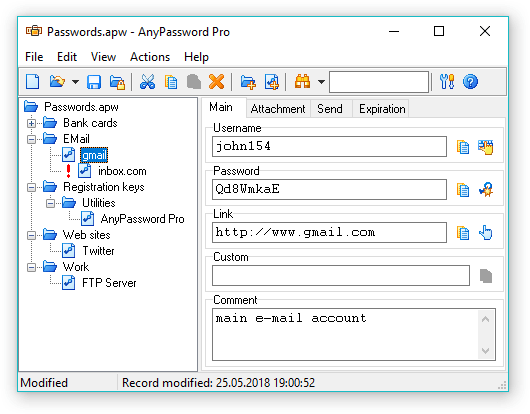
Hierarchical data structure. You can arrange an unlimited number of records using the nested folders. All records are represented in a tree form.
Fast search function. You can easily find a record by entering a substring into the search field.
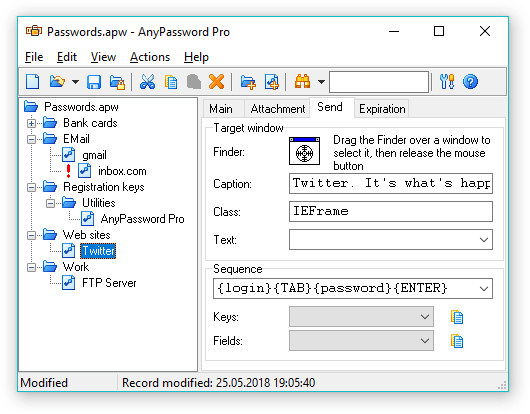
Fills login forms, automatically logs you into a web site or program.
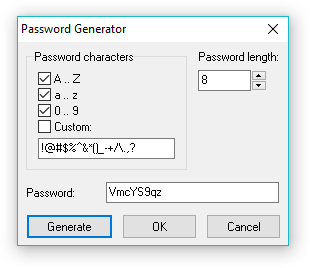
Built-in customizable password generator allows you to generate unique passwords. You can specify the characters that will be used in the passwords and set any password length.
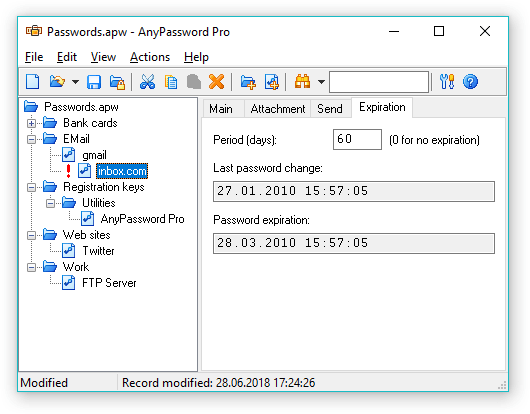
Expired password notification. The program will notify you when it's time to change a password.
Password database synchronization. You can synchronize your password storage files on a desktop and a laptop or a work computer.
Runs from removable devices. You can install AnyPassword Pro on any removable device (USB flash drive, HDD, U3 device, floppy disk, etc.).
It will keep all your settings and data on the device too.
Multiuser interface. The program can be used by several people. Each person can have one or several data files.
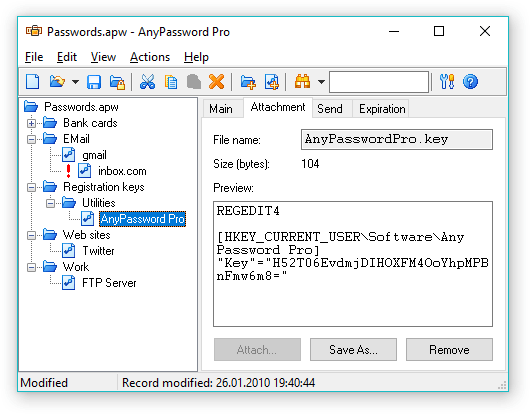
Ability to store files. You can attach files to password records to keep your software registration keys, digital certificates, or any other sensitive data.
Data file compression. The program compresses your password storage file, so it takes very little space and can be placed on any media.
Screenshots
News
Version 2.0 RC3:
German, Italian, Dutch translations added
The installer always asks for the installation folder
Some minor improvements
Version 2.0 RC2:
Redesigned interface
Interface translation support added
Default sending sequence added
"Minimize after Send" option added
Current file name in the tree view added
Read-only mode icon for the root folder added
Changeable font in all the fields
F3 sets focus to the search field if it is empty
Successful portable installation message added
Updating the recent file list on saving
"Modified" state after masking/unmasking the Password field bug fixed
"Modified" state updating after synchronization fixed
Selected record updating after synchronization added
Problem with sending to some browsers fixed
Problem with sending special symbols fixed
Compatibility problem with some Windows versions fixed
Some improvements and bugfixes
Version 1.07:
Problem with "Always on top" option fixed
Version 1.06:
Registration method changed
Default data font changed
Window position problem on multi-monitor systems fixed
Problem with DEP fixed
"Custom" field added to import/export
Some improvements and bugfixes
Version 1.05:
A problem with large data files saving fixed
Some minor improvements
Version 1.04:
Successful synchronization message added
A problem with opening files on starting maximized fixed
Some improvements and bugfixes
Version
1.03:
Problem with Pocket PC synchronization fixed
Some minor improvements
Version
1.02:
Synchronization with Pocket PC
Windows Vista support
Version
1.01:
Both files can be updated during synchronization
"Run at Windows startup" option
"Save old password" option
Hotkey for sending to active window
Changeable data font
Adjustable attachment size limit
Adjustable window waiting timeout
Some improvements and bugfixes
Version 1.0:
Can be installed to removable devices
Some improvements and bugfixes
Version 1.0b1:
First public beta
|


 Keep your passwords in the right place


 Home
Home